.png)
MIN READ -
November 24, 2025

Integrated Solutions Manager
Most franchise owners face a consistent bottleneck: inconsistent onboarding and operational knowledge. When you have multiple locations, team members learning on the fly, or high turnover, critical processes get lost in emails, outdated spreadsheets, or—worse—tribal knowledge that walks out the door when someone leaves.
The traditional alternative is hiring a technical writer or spending weeks manually screenshotting and formatting documentation. For a growing franchise, that's either too expensive or too slow.
The data is compelling. According to Devlin Peck's 2025 onboarding statistics, 20% of employees quit within the first 45 days of employment, and 69% of employees who have an exceptional onboarding experience are likely to stick around for at least 3 years. Even more concerning: 60% of the new hires who quit within the first three months said they did so due to a lack of training or because the training they received was disorganized.
But there's a solution. An internal knowledge base directly accelerates onboarding and training by offering on-demand learning resources, allowing new hires to learn at their own pace and revisit information as needed. The impact is significant: according to SHRM research, businesses with a smooth onboarding process boost their employee retention rates by 52%.
What if you could create professional, step-by-step documentation in the time it takes to actually do the work once? That's what this tech stack does.
Scribehow → Automatically captures your processes as step-by-step visual guides
Notion → Transforms guides into organized, collaborative documentation
HelpKit → Publishes everything as a professional, searchable knowledge base
Think of it like this: Scribehow is your documentation recorder. Notion is your editor. HelpKit is your publisher. Together, they eliminate the gap between "doing the work" and "documenting the work."
Here's the actual workflow:
Step 1: Capture (Scribehow) - You open the Scribehow extension and hit "Record." Then you do your job exactly as you normally would—process a customer order, onboard a new employee, run your daily workflow. Scribehow captures every click, every field entry, every navigation step.
When you hit "Stop," Scribehow instantly generates a professional step-by-step guide with annotated screenshots, highlighted clicks, and auto-generated titles for each step. You get a fully formatted how-to guide in seconds.

Step 2: Organize & Enhance (Notion) - You export or copy your Scribehow guide and paste it into a Notion document. From there, you can add context, combine multiple guides into a procedure, include policy notes, or link related processes. Notion becomes your content hub—collaborative, searchable, and always up-to-date.
Your team can comment, suggest changes, and iterate without creating version-control chaos. You can organize guides by role, location, or process type using Notion's database features.
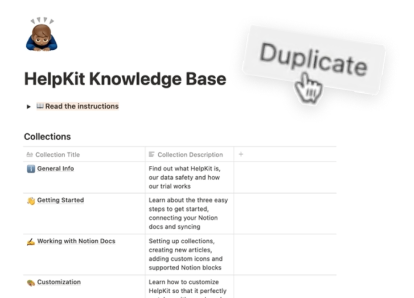
Step 3: Publish (HelpKit) - HelpKit connects directly to your Notion workspace and syncs your documentation. It transforms your internal Notion database into a professional, branded knowledge base with:
Every time you update a guide in Notion, HelpKit automatically reflects that change across all instances. No version control problems. No outdated PDFs floating around.

Data Flow: Your Process → Visual Guide → Organized Documentation → Accessible Knowledge Base
Depending on your franchise structure, you can configure this stack different ways:
Model 1: Centralized (Head Office Creates, Franchisees Access)
Model 2: Decentralized (Each Location Owns Their Docs)
Model 3: Hybrid (Core + Customization)
Here's what this stack actually delivers:
Consistency Across Locations - Your processes aren't dependent on which manager you ask. When a new franchisee joins or a manager leaves, the documentation remains. Everyone's using the same playbook.
Dramatically Faster Onboarding - New hires don't need three weeks of shadowing. They reference your step-by-step guides, complete structured workflows, and come up to speed in days. New employees have immediate access to targeted information that empowers them to become productive faster. This is both a hiring advantage and a significant cost savings—replacing an employee costs approximately 21% of their annual salary.
24/7 Self-Service Support - Instead of employees emailing managers "How do I...?" at 10 PM, they search the knowledge base and find the answer instantly. Knowledge workers take an average of 25 minutes to get back on task after an interruption. A well-organized knowledge base minimizes these disruptions by enabling employees to find answers independently, reducing the time spent waiting for assistance or asking colleagues for help.
Lower Compliance Risk - You have a clear audit trail of your documented procedures. When there's a question about whether a process was followed correctly, you have visual proof of what the standard is. That matters for franchises in regulated industries.
Better New Franchisee Onboarding - When someone buys a franchise, they need to understand how to run the business. This stack lets you hand them a comprehensive, professional knowledge base from day one. That's a competitive advantage and reduces post-sale support burden.
Data-Driven Process Improvement - HelpKit analytics show you which guides employees actually use and which ones get ignored. That tells you where your documentation is missing or where training might need reinforcement.
This stack isn't about creating pretty documentation—it's about turning your operational knowledge into a scalable, maintainable asset that your entire franchise network can access and learn from.
The magic isn't in any single tool. It's in the sequence: capture your process as you do it, organize it with your team, and publish it professionally—all without hiring a technical writer or spending weeks on formatting.
For franchise owners managing multiple locations or high-volume hiring, this workflow is the difference between "we know how to do this" and "everyone consistently does this the same way."
From capture to published knowledge base: 2-3 hours instead of weeks.
That's the efficiency win. That's why this stack matters for growing franchises.

AI-Powered Automation and Data-Driven Discovery Process for High-Growth Franchise Brands